



What’s New in Aurora: September 2026
Release 2026.7
Aurora 2026.7 gives repository teams more control over day-to-day administration, with new options for managing site views and user permissions.
This Aurora release expands what Cloud Admins can manage directly, introduces a new role for students, volunteers, and new staff, and includes improvements to audio and video playback.
More control for Cloud Admins
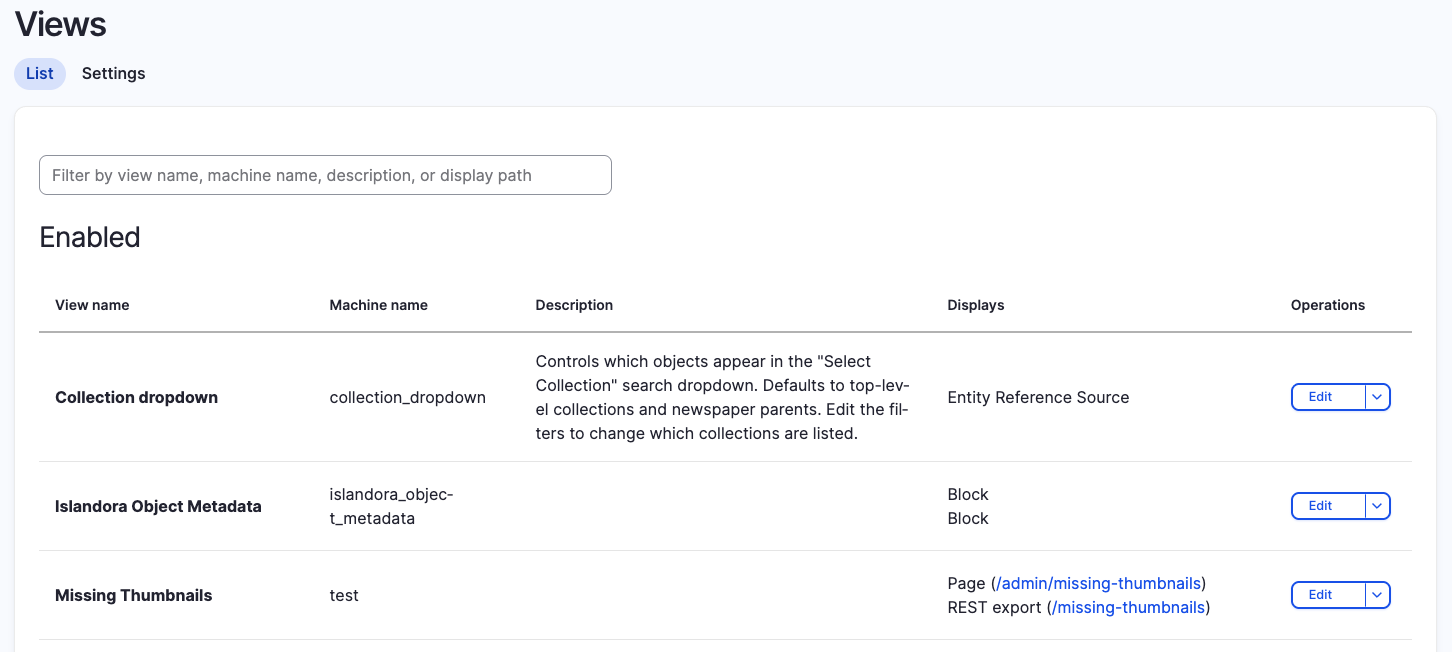
Cloud Admins can now edit a set of commonly used views directly in Aurora, giving repository teams more control over routine site configuration without needing to request changes from Discovery Garden.
The views currently available to edit include:
- Collection dropdown: Control which collections appear in your site's menu. By default, the dropdown displays top-level collections and newspapers, but Cloud Admins can customize the list.
- Islandora Object Metadata: Choose which metadata fields appear on compound objects and control the order in which they are displayed.
- Missing Thumbnails: View objects whose thumbnails did not generate correctly, regenerate thumbnail derivatives, or adjust the view to identify missing service files and other derivatives.
Giving Cloud Admins direct access to these views means common changes can be made when they’re needed, rather than requiring a configuration request. It also provides more control over how collections are presented and gives administrators tools to identify and address missing derivatives themselves.
A new role for students, volunteers, and new staff
Institutions involve different people in adding and describing repository content, from experienced staff to students, volunteers, and newer team members. Not everyone contributing to a repository needs the same level of administrative access.
The new Intern role gives these contributors the access they need to do their work without providing broader administrative permissions. Intern users can add and edit metadata and add media to objects, but cannot delete objects, edit public-facing pages, or change site theming and settings.
Cloud Admins can create, edit, and disable Intern accounts directly, making it easier to assign access based on how different people contribute to repository work.
Improved audio and video playback
Aurora 2026.6 introduced Able Player, a more accessible audio and video player with features including keyboard-accessible controls, interactive transcripts, and chapter navigation.
Aurora 2026.7 updates audio and video objects to use Service Files for playback rather than larger Original Files, helping media load and begin playing more efficiently, including in Safari.
Other improvements
School and Unit taxonomies are now available across all Aurora sites, giving institutions the option to use these classifications where they fit their collections and metadata needs. They will not appear on public sites or metadata forms unless enabled.
The release also includes various smaller bug fixes, including a fix to breadcrumb trails on OCR pages.
Learn more about Aurora
If you'd like to learn more about Aurora, schedule a demo, or discuss how the platform could support your institution's digital collections, contact Discovery Garden.
Image Source
Two keys and key ring, probably Italian, 16th–17th century. The Metropolitan Museum of Art, Public Domain.
